AI for Business Owners: Where Does AI Keep Your Company's Context?
You explain your company to the AI every Monday and still get answers that would fit any company. What changes the answer is where the AI keeps what it knows about your business: in a chat, a project, your own files, an agent or your own machine. Five layers, what each one gave me as an owner, and where each one stopped being enough.
You open a chat on Monday morning, and before you can ask anything, you type what your company does, what you sell, who buys it and which prices changed last month. You typed almost the same paragraph last week. The answer comes back sure of itself and would fit any company in your industry, because the AI has never heard of yours. So you correct it again: we do not sell to consumers, the old price list is gone, write it the way we talk to our customers. Next Monday it has no idea who you are, like a new employee who forgets everything overnight.
And when you ask for one change in the offer, the whole offer comes back written again, with a number moved somewhere on page four, and your downloads folder fills up with v4, v4 final and v4 final 2.
Welcome to AI for business owners. I run a company too, and I know this Monday well. Most of us start with the free version or $20 a month, and I stayed on that first step for more than three years. Looking back, most of what frustrated me was not the AI itself. It was where the AI kept what it knew about my company.
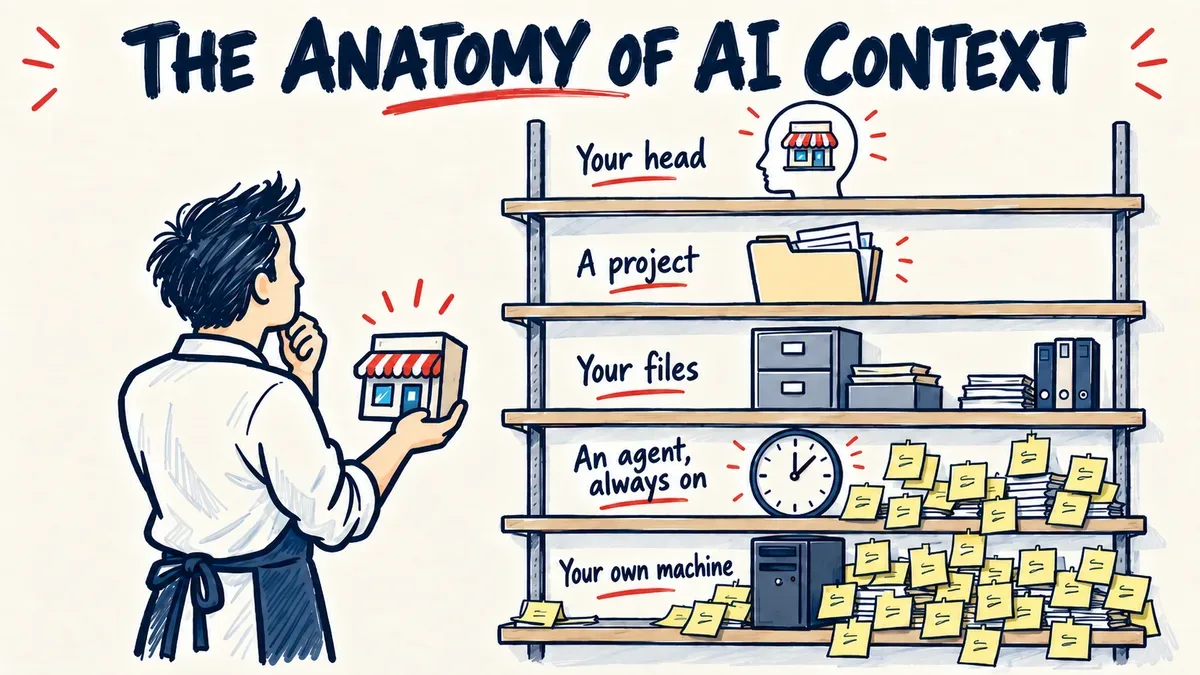
Context is the word for that: everything the AI needs to know about your company to do a good job. On the first layer it lives in your head, on the second in a project, on the third in your files, on the fourth in the clock, and on the fifth on your own machine. Here is how I moved through them, and where each one stopped being enough.
Layer 1. Chat: your company lives in your head
There is a good chance some of your people already use the free chat, each on their own account, each typing the company in again in their own words, so the AI hears a slightly different company from each of them.
I opened my first chat in March 2023, and it was exciting. For simple questions it was amazing. But when I gave it work with several steps, or several of my documents at once, I hit the limit of a single chat.
Once I wrote a longer prompt with five steps in it, to describe a client's ideal customer. It had mistakes, so I fixed the prompt, opened a new chat and ran it again, then found a mistake in another place. It took me seven tries, in seven different chats, because every chat is a clean slate that does not know what the one before it did wrong. I was the only memory the work had.
I did not need a smarter chat. I needed my documents and my way of working to stay in one place.
Layer 2. Projects: your company lives in the project
A project is a space inside ChatGPT or Claude where the documents and the instructions stay from one chat to the next. For an owner that can mean the price list and the brochure attached once, and the standing instructions written once: how we talk to customers, where every number comes from. Every chat opened inside that project starts with all of it.
The first weeks felt like relief. For the first time in a while, I was finally able to stop repeating myself. I built the documents for a kids franchise in one project in one day, and a month later used the same project to make a sales offer for another client.
But as much as I loved that a project remembers the files, it fails at editing. When I changed one rule in a project document, the chat gave me a new version of the whole file, and I had to download it, remove the old one from the project and upload the new one. A few hours later I thought of another change, and it all started again. Some afternoons I felt less like the owner of a company and more like the project's filing clerk. If a document gets to version 58, that is 58 downloads and 58 full readings of the same document.
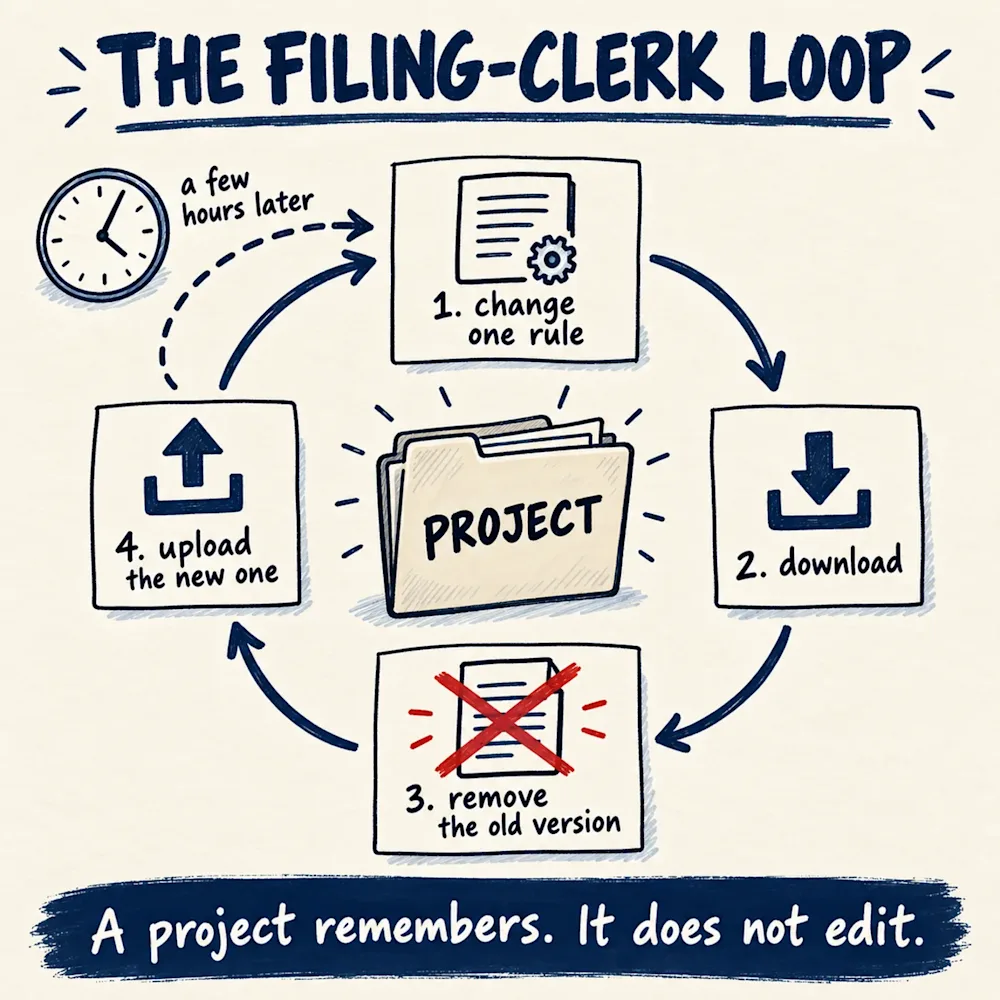
I did not need another rebuild. I needed the AI to open the file and change the one line.
Layer 3. Workspace: your company lives in your own files
A workspace is where the AI works on your own computer, inside the folders you give it, and edits the files itself. I use Claude Code. The name sounds like a tool for programmers, but at the beginning of the summer I moved my report writing into it.
The first thing I felt was calm. I ask for the line on page 12 to change, and the line on page 12 changes, while every other page stays exactly as I approved it. Before a report goes to a client, the AI runs its own checks over it, so I no longer hunt for the number that moved.
What surprised me was the learning. On this layer the AI keeps its own notes, in plain text files next to my documents, about the client, about how I want things written and about what went wrong last time. Every correction is written down there, and every new session starts by reading those notes. So I say it once, and it stays. The mistakes stopped coming back, the AI was getting better the longer I worked with it, and I started to enjoy giving it feedback.
This is the part I would want every owner to see. In a chat, everything someone taught the AI about your company sits in that person's account, and when the person leaves, it leaves with them. In a workspace it is written in a file next to the company's documents. The way you price and the mistake you never want repeated stay with the company, and the next person starts from there instead of from zero.
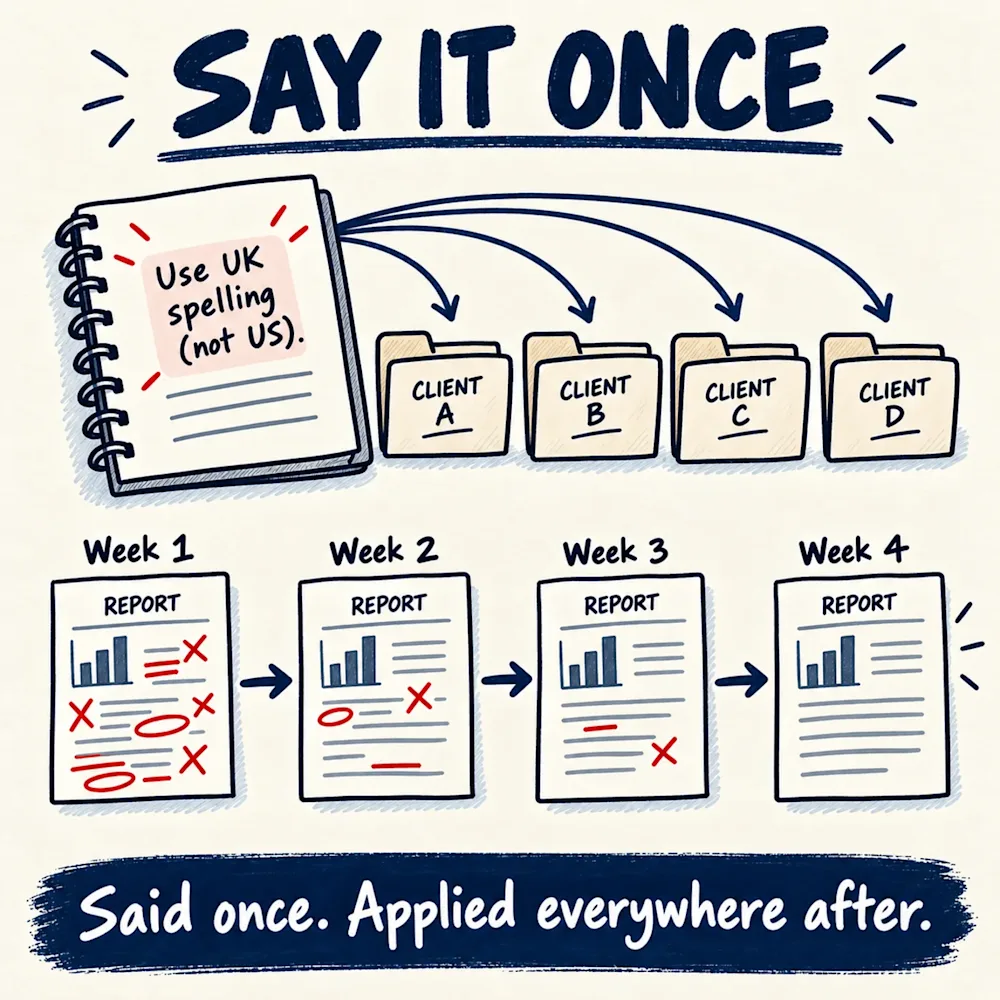
Once the notes were in place, I could also chain the work into steps that run one after the other. Now I give it the transcript of the kick-off call with a new client, and in one run out come the meeting note, the card on my sales board, the agreement, the email draft to the client and the message to my team, without another word from me.
Then I hit the walls of this layer too. The first one is that the AI works only when I ask. Until I start the sequence and tell it what to do, nothing moves. It was serving me like an employee waiting for instructions, a good one, but never with any initiative of its own.
The second one is the cost. Every time I send a message, the AI re-reads the whole conversation it is in, from the first line. One month of my own use came to about 19.7 billion tokens, the small pieces of words the AI counts its work in, and most of the cost was that re-reading.
I wanted something that works when a message arrives, not when I sit down. Funny enough, I had already tried that months earlier.
Layer 4. Agent: your company lives in the clock
An agent is an AI with a place to live that is always switched on, a channel where work reaches it, like email or Slack, and permission to act on it. Nobody has to start it, so a routine request that arrives at eleven at night gets handled at eleven at night. It sounds like the employee every owner wants.
Linda was my first AI agent. I trained her to find leads on LinkedIn, and the boring jobs she did fast. She went through hundreds of my client folders in minutes, and I was hooked. But in her first weeks she also burned through money in under an hour, taking pictures of web pages as she browsed. At the beginning of the summer the computer she lived on ran out of memory, and when I brought her back, the access to the AI behind her was cut two days later. It hurt more than the chats ever did, because I had believed in her.
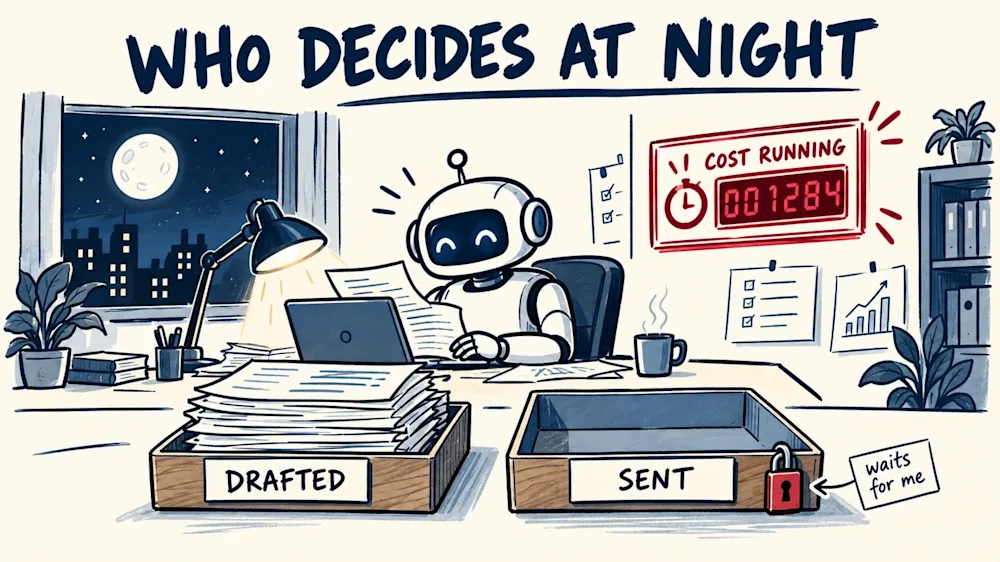
The limit of this layer is the same for every agent. It works without me, so nobody catches the mistake, and the meter runs while I sleep. In a company that means an answer can reach a customer, or money can be spent, before anyone has looked.
So Hermes, my personal assistant, reads and drafts and never sends, and every draft waits for me. If someone offers you an agent, I would start there: let it read and draft, and keep the sending and the paying with a person.
Layer 5. Your own model: your company stays on your own machine
This one is for the owner who likes to tinker. An LLM, a large language model, is the engine behind ChatGPT and Claude. At the end of September I put two open models, a small one and a bigger one, on my own desktop computer, through a free tool called Ollama. There is no meter per job, and the company's text never leaves my machine. But nothing goes local without written rules and one test it has passed, the small one failed on Macedonian, and anything in my voice stays on the paid models. I have no figure yet on money saved.
Where does your AI keep your company?
You do not need all five layers, and a quick question still belongs in a chat. But if the same wall keeps coming back, it is usually the edge of the layer, not the limit of AI.
So the next time a consultant, an agency or one of your own people tells you "we use AI", ask them one question: where does your AI keep my company? If the answer is "in a chat", you know how many times your prices and your numbers get typed in again, into something that has forgotten them by the next morning.
If you want to see where your business stands, AI included, the free business health check takes under five minutes and scores you across clarity, structure, growth and AI.