Your AI Asks You as Many Questions as Your Team Does. Most Already Have an Answer.
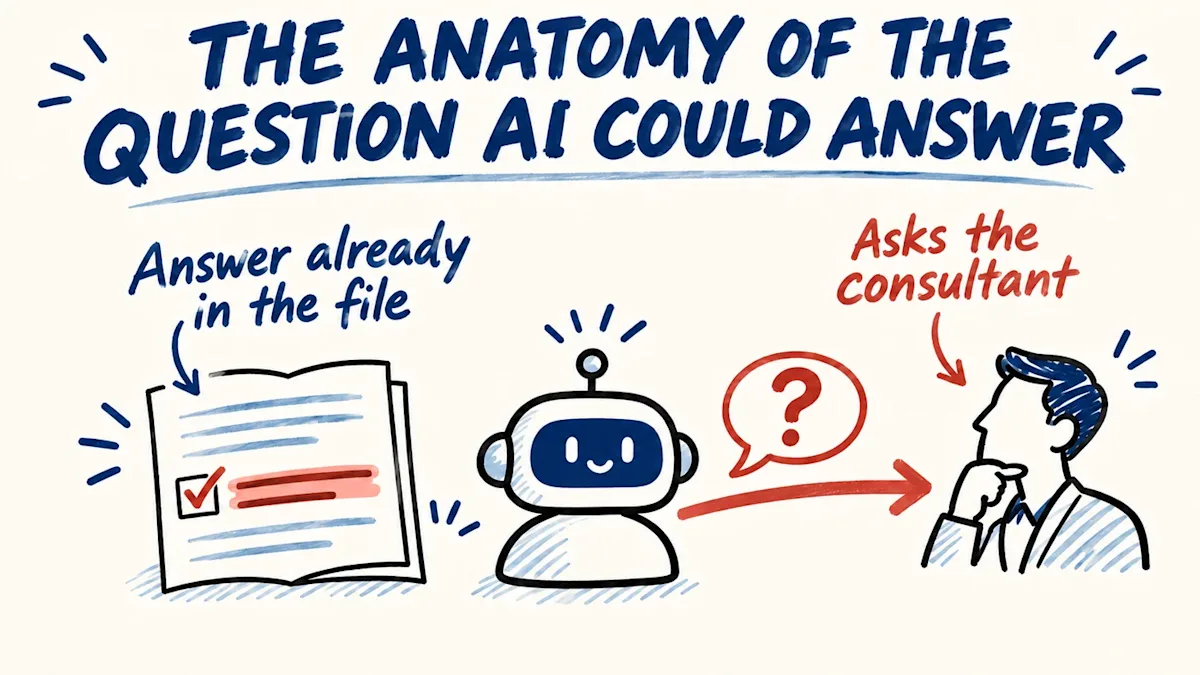
Your AI asks you as many questions as your team does, and most of the answers already sit in an old offer, the price list, an email or the client file. Five steps run before a question reaches you, for people and for AI.
You started using AI to take work off your desk: an offer to draft, a reply to a customer, a report for the bank. Within a week it is asking you questions. Which price list is the current one. What this customer paid last time. Whether the terms were 30 days or 60. Then you notice that you have heard every one of them before, from your own people.
Your salesperson asks what discount the customer got last year. Your accountant asks whether the client accepted the new payment terms. Your project lead asks when the supplier promised the delivery. Each one costs you two minutes, and the work waits while you answer.
It was the same for me, and my company finds customers for businesses. In early November I sat down with an AI to prepare a presentation, gave it the context and the agenda, and got back questions about details that were written in that agenda. After half an hour I typed: "the last 30min you asked me 20 questions that you should be the one recommending the answers rather than just asking me." The twenty was how it felt, not a count.
Most of the answers are already in the company
I keep a log of every time I correct my AI. Going back through it, I counted 25 times between August and November 2026 when I stopped the AI and showed it where the answer already was: a file, a folder, my mail, the transcript of a call, a public web page. Once it had the transcript of a client call open in front of it, and it asked me about that call.
The rule had been written down all along. At the end of August I put "look before you ask" into the standing instructions my AI reads before any work. 23 of the 25 corrections came after that day.
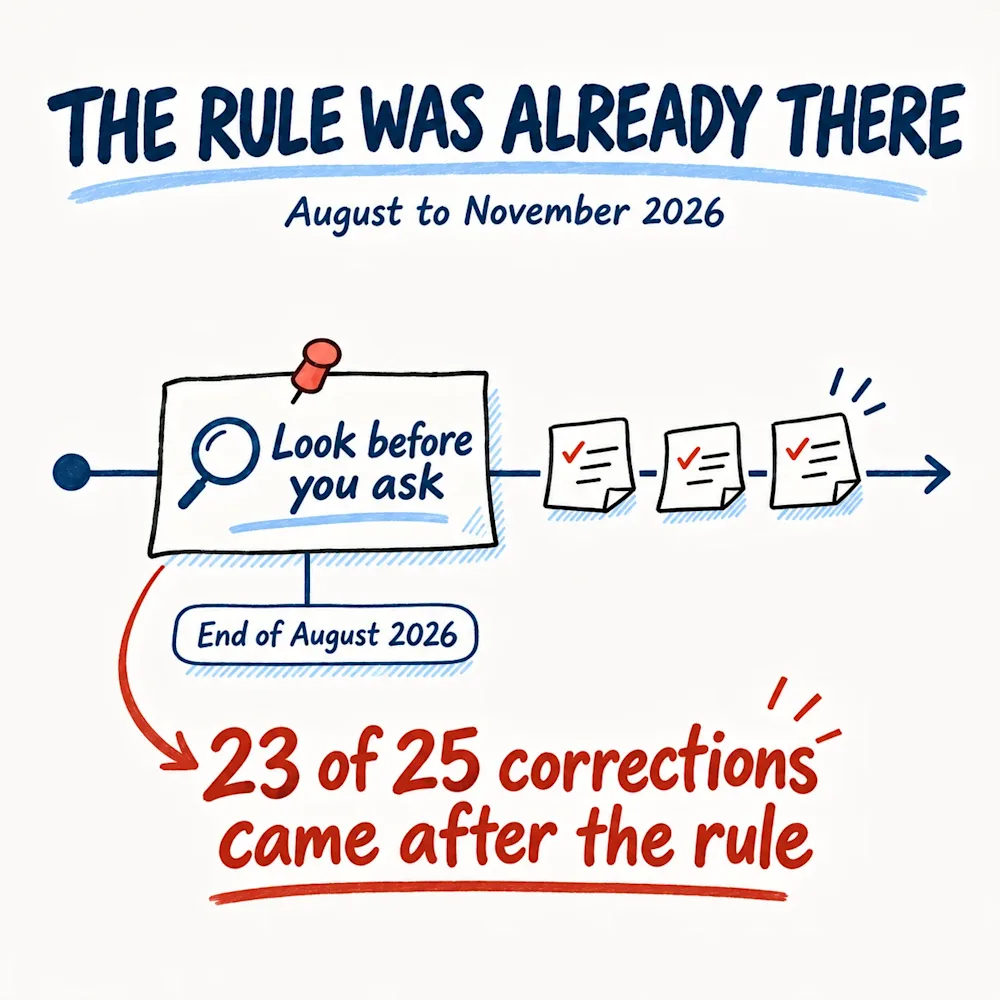
Your company works the same way: the answer was in a file, and the person asking did not open it. "Look before you ask" tells them what you want. It does not tell them where to look, when they have looked enough, or what they may decide once they have the answer. Without that, bringing the question to you is the safest move they have.
Five steps before a question reaches you
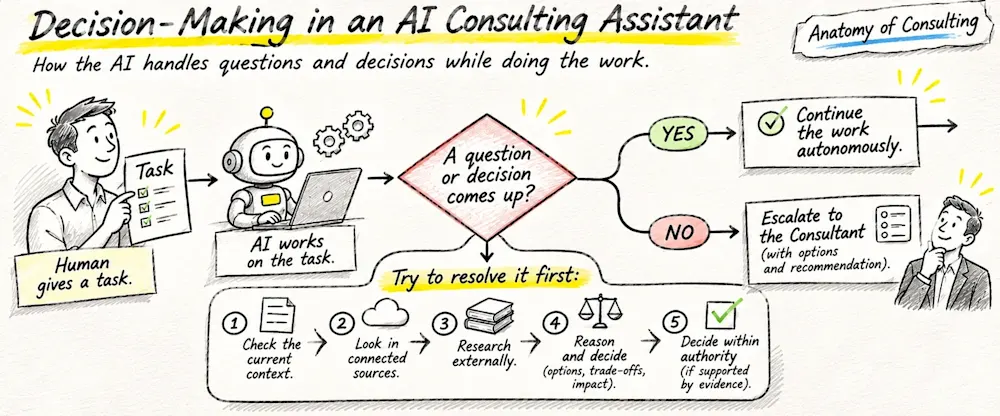
So I stopped adding rules and wrote down a procedure. When a question or a decision comes up in the middle of the work, it goes through five steps, in this order, before it may reach me. The same five work for a person on your team and for an AI.
Step 1. Check what came with the task
The first place to look is everything that arrived with the work: the request, the conversation so far, the files attached, the folder someone named. My AI skipped this step more than any other. With the presentation, the answers sat in the agenda I had handed over at the start, and all I could write back was "you coudn't deduct that from the agenda?" So the first step is to read the task again with the question in mind, before deciding that the answer is missing.
Here is an example. A customer emails an order for delivery to their second warehouse. Your salesperson forwards it to you with one line: which address? The address is in the signature of that same email.
Step 2. Look in the company's files, mail and calendar
The second place is everything the company already holds: the shared drive, the client folders, the old offers, the price list, the mailboxes, the calendar. Once the AI did not know where one campaign stood. The sheet with the status was in the folder I had named, and the vendor's email about it was in my mail. The AI could open both, and it asked me instead.
Here is an example. Your accountant asks you whether a client agreed to pay in 60 days instead of 30. The signed offer is in the client's folder, and the email in which the client accepted the change is in the sales mailbox. That is two searches, not a question for you.
Step 3. Look outside
When the answer is not in the task and not in the company, it is often on a public page: the customer's website, a supplier's catalogue, a public register. An AI that was filling in a form for me stopped to ask whether my book was self-published or with a publishing house. The publisher's name was in a facts file in my own folders and, as I told it, on the book's public page.
Here is an example. Your salesperson is preparing a first meeting and asks you how many shops the prospect runs. The prospect's website lists every shop with its address.
Step 4. Sort the question and decide what you can
Now the person, or the AI, sorts the question into one of three kinds. A fact that can be fetched: by this step it has been fetched, so it is no longer a question. A choice with a precedent: the company made the same choice before, in an old offer, an earlier case or a rule you wrote down, and the precedent is followed. A decision only you can make: that one stays with you. Every one of the 25 corrections in my log was of the first kind.
The second kind is where my AI kept coming back to me for no reason. We had agreed how long a piece of work should be, it was written down, and the AI asked me again.
Whatever is left gets weighed the way you would weigh it: the options, what each one costs, what it changes in the work. Then one is picked, with the reason.
Here is an example. Your project lead asks you which of two suppliers to order the material from. The last time you bought the same material, you chose the one with the shorter delivery time, and that order is in the purchase folder. The project lead follows it and tells you in one line.
Step 5. Settle what they may settle, or bring one question
The last step is the list of what your people or your AI may settle without you. The list I gave my AI: anything with a precedent in my files, anything inside the task I set, and anything that can still be undone before I see it. When my AI asked me to approve items that were already written in the document it was working from, I answered in one line: "if they are in the document, consider them as approved". Whatever is settled this way comes back to me as one line: what was decided, and where the answer was found.
Some things wait for your word even when the answer is certain: a new promise to a customer, a price, a new person to contact, anything sent out of the company, and money. Finding a fact is never permission to act on it. Your AI finds a customer's new address in an old email thread; the letter can carry that address, but it still waits for you to send it.
When a question survives, it comes as one line of what was checked, the options and the pick. Here is an example. "The customer wants 10% off this order. Last year we gave 5% for the same quantity, the offer is in their folder. We can give 5% again or hold the price. I would give 5%. Yes?" That takes you ten seconds, because the checking is done.
The drawing is the one I made for my own AI; the five boxes are the same five steps, in the words I use with it, and the consultant it escalates to is me.
Five questions came up, one reached me
I wrote the five steps down in early November, the week the AI asked me about the publisher. The first working session that ran them kept its own log of the questions it met, and five came up. Four it settled from files and rules without me, each with the places it had checked. One came to me, a decision only I could make. I answered one question instead of five. One session is not a study, and the log is the AI's own account.
Where it can go wrong
Tell a person or an AI to stop asking, and some start guessing. I think a guess that looks like a decision is worse than a question, because you do not see it coming. So the test is the place: every answer settled on the way comes with where it was found, the file, the email thread, the web page. If they cannot name the place, they did not find it, and the question comes to you.
Ask both to run the five steps
This is for your people and for your AI. Whoever brings you a question, ask them to run the five steps before it reaches you. If your AI assistant has a place for instructions it reads every time, paste the five steps there; if not, paste them at the top of each task, and attach the price list, the last offers and the client file it will need. For your team, say it once in a meeting, and then answer every question that skipped a step with "where did you look?"
Start with the last ten questions you answered this week, from people and from the AI. Next to each one, write where the answer was: an old offer, the price list, an email, the client file, a website. The questions with a place next to them are the steps somebody skipped. The ones without a place were yours all along, and those should keep coming to you, one at a time and with a pick.
Which question did you answer this week whose answer was already sitting somewhere in your company?
The Clarity deep dive is free: 30 questions on money, customers, cash, growth, decisions and your market, about eight minutes, and you leave your email at the end and get the full report right away. When you want to know which decisions in your company still wait for you and which already have an answer in your own records, the Business Pulse diagnostic takes 30 days: you open your financials, sales records and contracts, sit in two meetings, and get a report with a prioritised action plan, every action with an owner and a timeline.