Your Company Already Did the Work. Why Does Every Offer Start From Zero?
Your team rebuilds the offer for every customer, and the hours go into finding the past projects, the photos and the prices, not into writing. Put every project you have done into one table once, and AI does the finding for every offer after it.
A new customer asks for an offer. Someone on your sales team opens the last one you sent and starts changing it. Then the search begins: which of the jobs you have done is closest to this one, where are the photos from that site, which version of the company presentation has this year's numbers, what did you charge the last time for something like this. The offer goes out two days later. The writing took an hour. The rest went into finding.
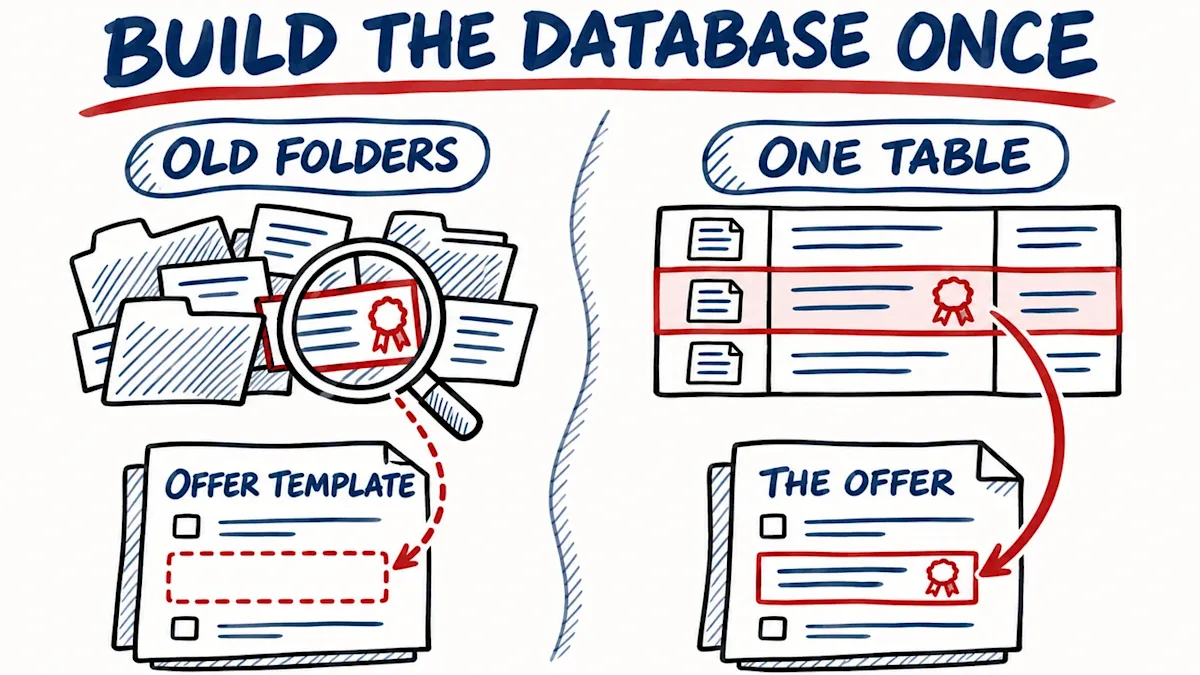
It was the same in my company. We find new customers for other businesses, and we have done over 600 of those projects. Every offer needs two or three references, the past projects closest to the company asking. For years the person writing the offer went through the old folders and picked from what she remembered. Nobody remembers 600 projects. The references in the offer were the ones from last year, not the ones that fit.
This autumn we put all of them into one table, one row per project. It took two weeks. The gaps were in the contracts and the prices, and those I filled by hand. AI filled the rest: it found each client's website and industry on its own. Since then, when a company asks for an offer, AI reads the 600 rows against what that company does and what it asks for, and picks the five to ten closest. The person writing the offer takes two or three of those, checks them against the project folder, and writes. Her part is the checking.
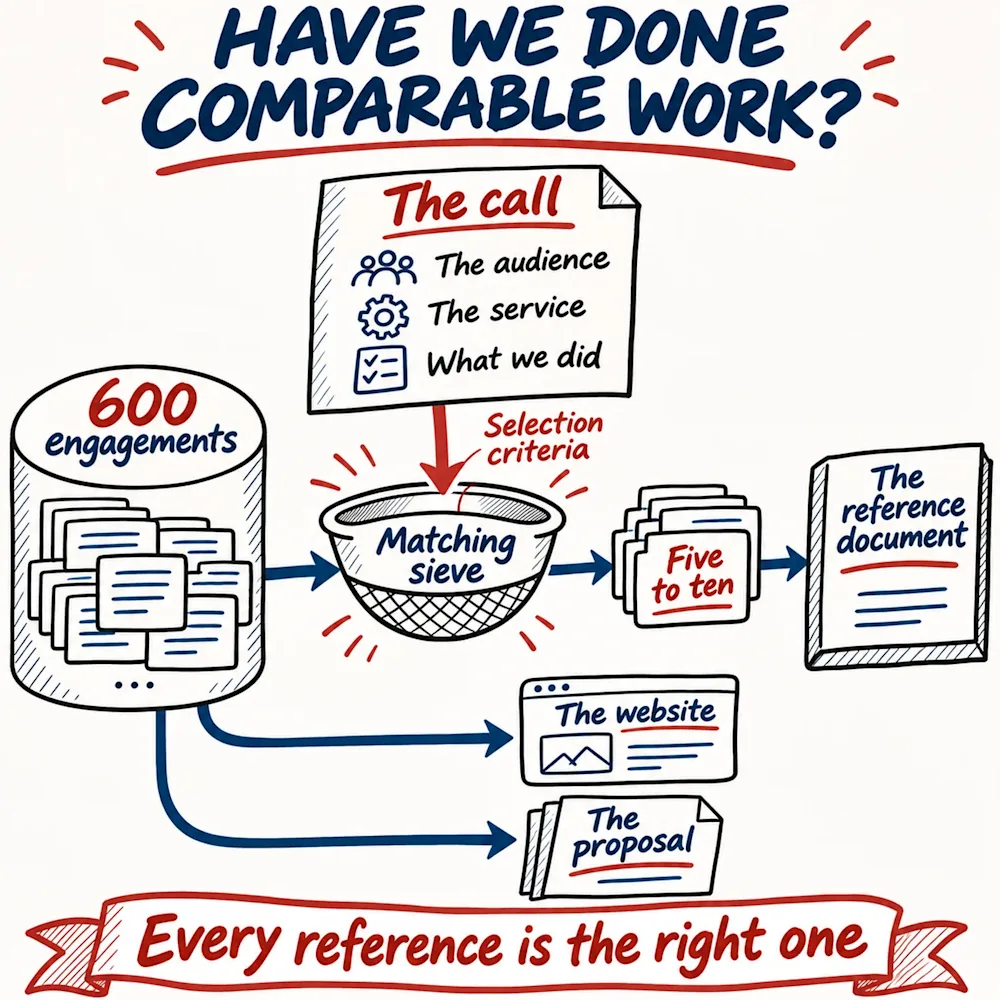
The first document we built this way was the reference list for a tender this September. The tender asked for three kinds of experience, and the list went out with the five to ten projects closest to them and nothing else. The other list, everything we had ever done, buries the three good references among the ordinary ones, and the reader stops before he reaches them.
The hours go into the finding
Nothing your salesperson found this time is written down anywhere for the next time. She looked in the old offers, the shared drive and her own email, she asked the colleague who ran the job, and all of that is gone by the next request. The quote, the reference list a tender asks for and the company presentation go the same way: each one starts from the last one you sent, plus the same search.
There are three ways to write that offer. I have done it all three ways, and most of the companies I meet are on the second one.
Three ways to write the same offer
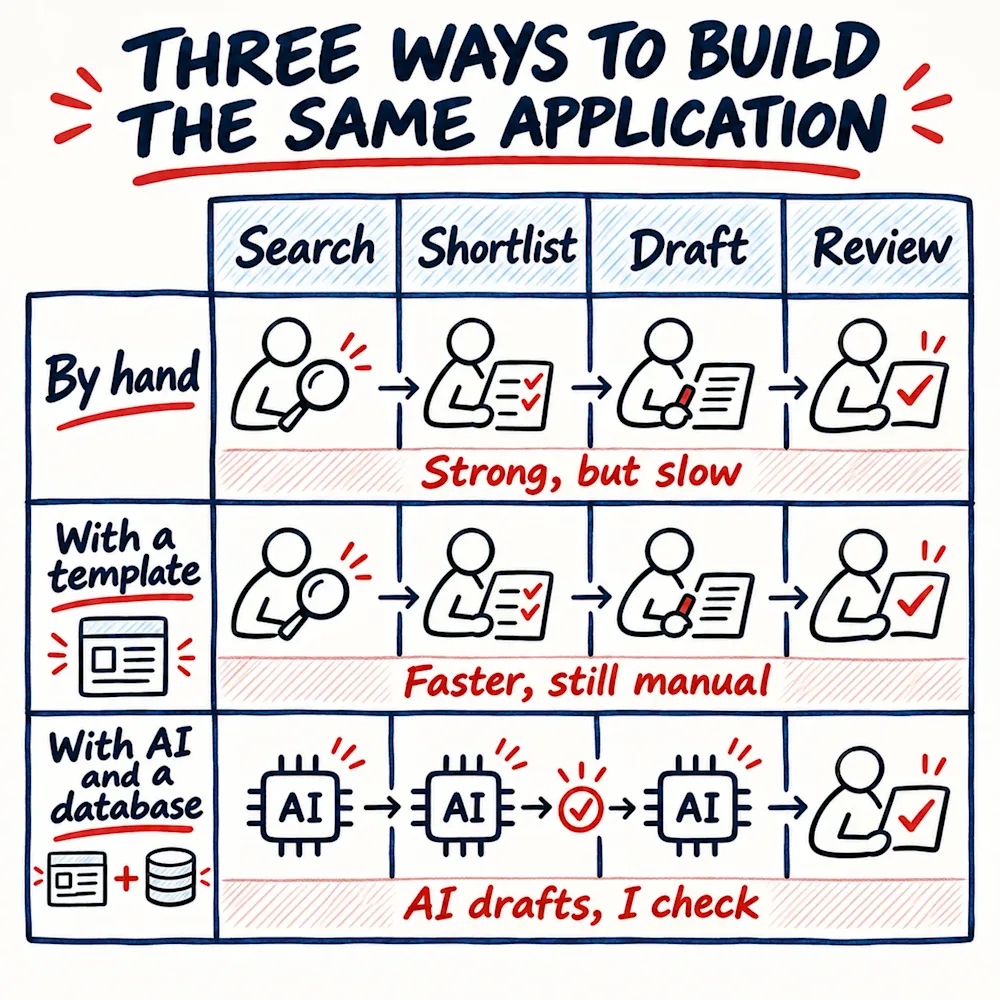
- By hand. Your salesperson reads the request, goes through the old folders, picks the projects that fit and writes the offer for this one customer. The offer is tailored and strong. The search is the price.
- With an offer template. The template saves the start: nobody writes the payment terms again or hunts for the logo. But the template has a box for relevant projects, and the box cannot say which project belongs in it. The template knows where everything goes. It has no idea what goes in.
- With AI and a database. A database here means one table where every project you have done is one row. That is where the finding moves to. You open the AI assistant your team already uses, ChatGPT or Claude will do, attach the table, and paste in the customer's request and your offer template. It reads the rows against the request, picks the closest projects, drafts the offer into your template, and fits the wording to what the customer asked for. Your salesperson reads the draft, checks the projects it picked against their folders, and sends.
What one row holds
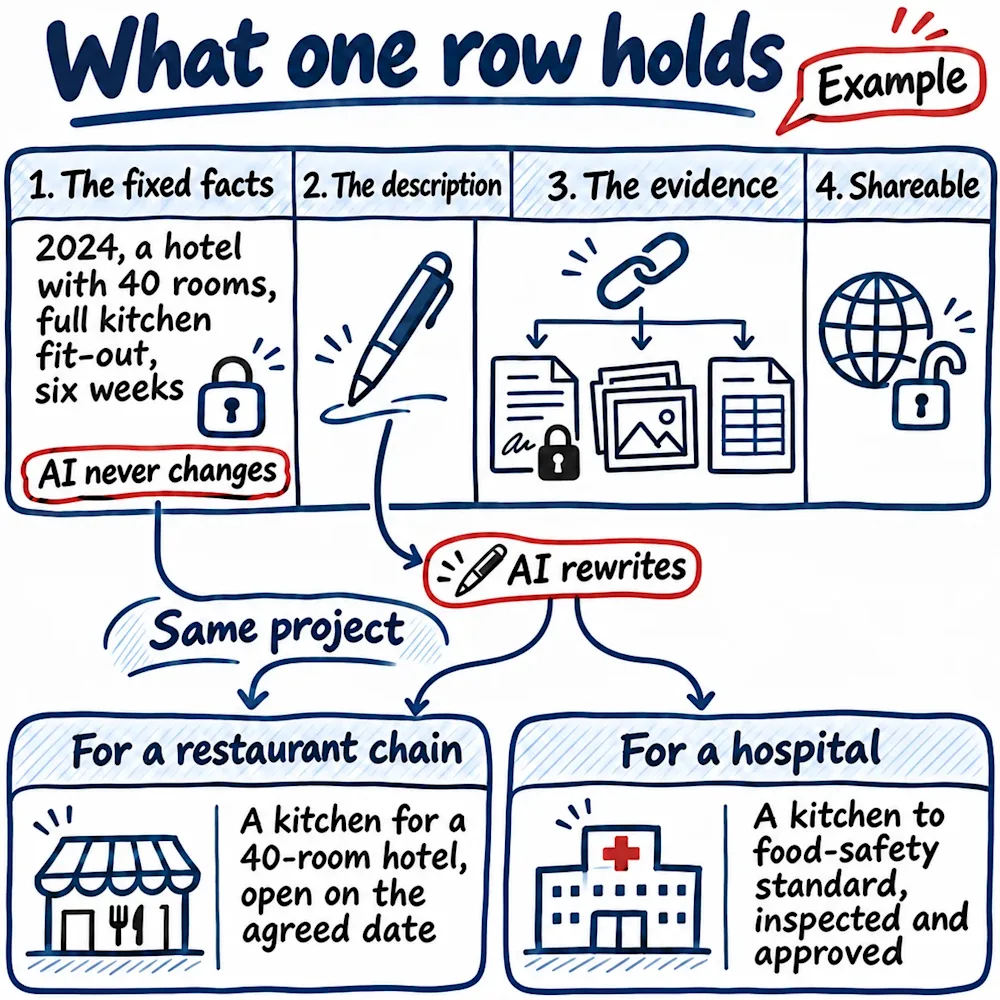
A spreadsheet is enough. One row is one project, and every row has the same four parts. Here is an example, a row for a company that fits out commercial kitchens.
- The fixed facts. The year, the client's industry, what you delivered, the size and the place. Written once, corrected only in the table, and AI never changes them. For the example row: 2024, a hotel with 40 rooms, full kitchen fit-out, delivered in six weeks.
- The description. The one part that changes with the customer, because AI rewrites it for each offer. For a restaurant chain asking for an offer, the same row reads: "Designed and fitted a kitchen for a 40-room hotel, open on the agreed date." For a hospital: "Fitted a kitchen to food-safety standard, inspected and approved before handover." Same project, two readers.
- The evidence. A link to the folder that proves the row: the contract, the photos, the final invoice, the client's email at handover. If your salesperson still has to open that folder to know what the row means, you have built an index to the old search, not a database.
- What can be shared. A mark on the row: public, offer only, or never leaves the company. The example row is public. The contract behind it is not. AI picks only from what the row says may be shared, so the private part stays in the folder, and your salesperson does not have to remember which customer asked not to be named.
Start with the document you rebuild most
Pick the document your team rebuilds for every customer. For most companies it is the offer; for some it is the company presentation, or the reference list a tender asks for. Ask the person who writes it what she goes looking for every time, and write that list down. Those are your columns.
Then take ten past projects, the ones your team mentions most, and put them into a table with the four parts. That is a morning's work, and it needs nobody from outside: a spreadsheet and the person who knows the old projects. The first test comes the same afternoon: attach the table to the AI assistant, paste in the next customer request and your offer template, and ask it which projects it would put in the offer and why, with the row behind each choice. Read what it picked. Whatever your salesperson still has to go and look up is the next column.
The ten rows you do yourselves. The full version, every project you have done, is the one to plan a fortnight for, the way our 600 took two weeks. Most of that fortnight goes into the gaps. If nobody in the company has the fortnight, give it to someone from outside, a student or a freelancer, with the person who knows the old projects beside them for the gaps. The ten rows and the first test are yours this week.
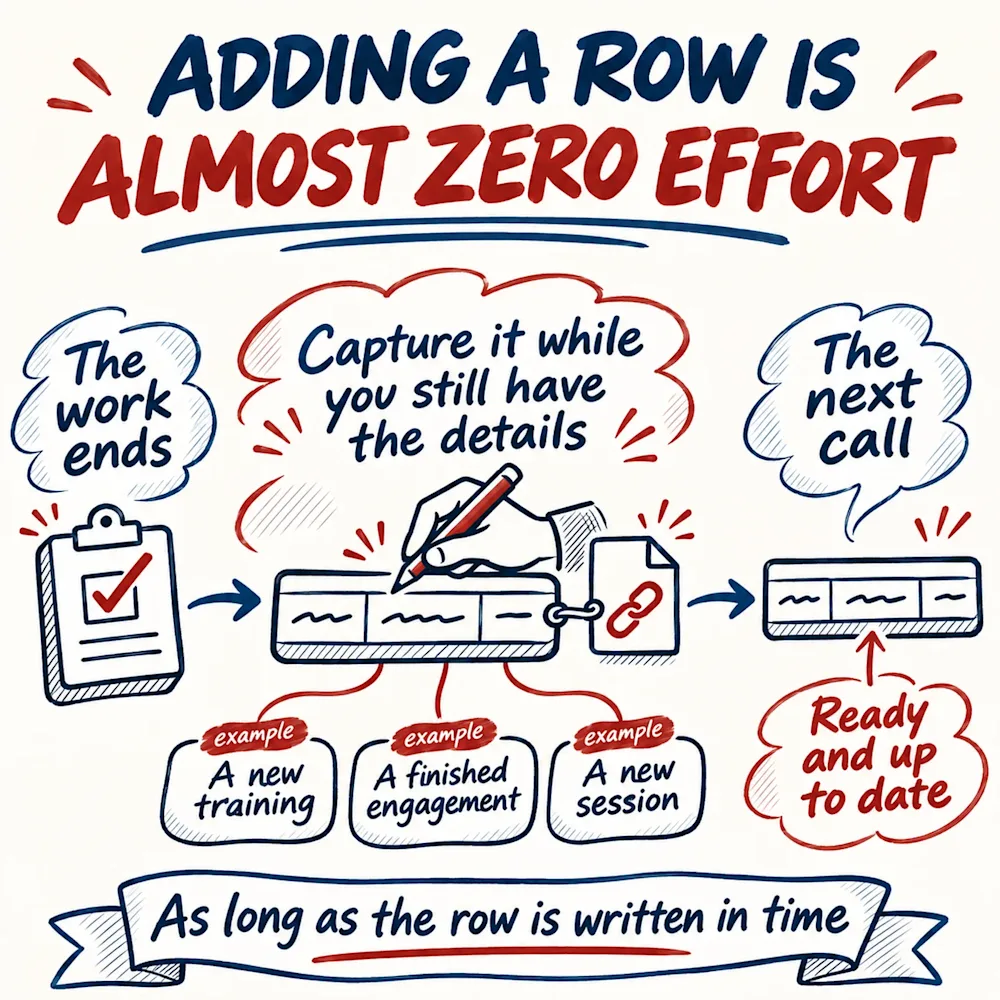
You build the database once. After that, adding a row costs minutes, as long as it is written at the right moment: when a project ends, the person who ran it writes the row while the photos, the numbers and the client's email are still on her desk. The same row six months later takes an afternoon, because the details are gone, and sometimes the person who had them is gone too. So the rule I give my own team: capture the work while you still have the details and the evidence. The row is written when the job closes, not when the next offer needs it.
Once the table exists, it pays a second time on its own. Ours became our portfolio page: one entry per project, each named by the work and the kind of client, such as finding customers for a Norwegian data security company, with no client name on it. A buyer who searches for that kind of work, or asks an AI tool who has done it, lands on the entry that says exactly that. We built the table for the offers, and the website came on the side.
Which document does your team rebuild for every customer, and what is the first thing they go looking for?
The Clarity deep dive is free: 30 questions on money, customers, cash, growth, decisions and your market, about eight minutes, and you leave your email at the end and get the full report right away. When you want to know where else the hours go in your company, checked against your own records, the Business Pulse diagnostic takes 30 days: you open your financials, sales records and contracts, sit in two meetings, and get a report with a prioritised action plan, every action with an owner and a timeline.